
Capture the work
Record labor, billable items, equipment context and supporting notes against the right assignment.
FOR OPERATIONS & FINANCE
Bring field tickets, customer signatures and supporting documents together so completed work can move toward an invoice with less chasing.
Walk through this workflowWHERE WORK GETS STUCK
A crew completes the field work. The office has the hours, but the signed ticket is still on someone’s phone. Equipment usage is in a separate note. Before billing can start, someone has to reconstruct what happened.
That delay is more than an administrative inconvenience. It makes unbilled work harder to explain, gives customers incomplete backup and leaves managers unsure which completed assignments need attention.
A BETTER HANDOFF
Hawkeye Field Ops connects the agreed scope, rates, labor, items, notes and attachments to the field ticket. Customer sign-off gives the office a traceable record of acceptance rather than another document to locate later.
Related tickets can move into a summary and billing package. Days-to-invoice visibility helps the team identify aging work and the missing signatures, documents or approvals that need follow-up. Invoice records retain the customer and operating context when questions come back.
Record labor, billable items, equipment context and supporting notes against the right assignment.
Review ticket detail and customer sign-off before the record reaches finance.
Group related tickets and follow up on aging work that is not ready to invoice.
SEE THE SUPPORTING RECORD
A useful walkthrough shows how field activity carries its context into the next step. This is the product evidence to review with your team.
CAPTURED IN HAWKEYE FIELD OPS
A real staging sequence across ticket detail, supporting items, status and invoice readiness.
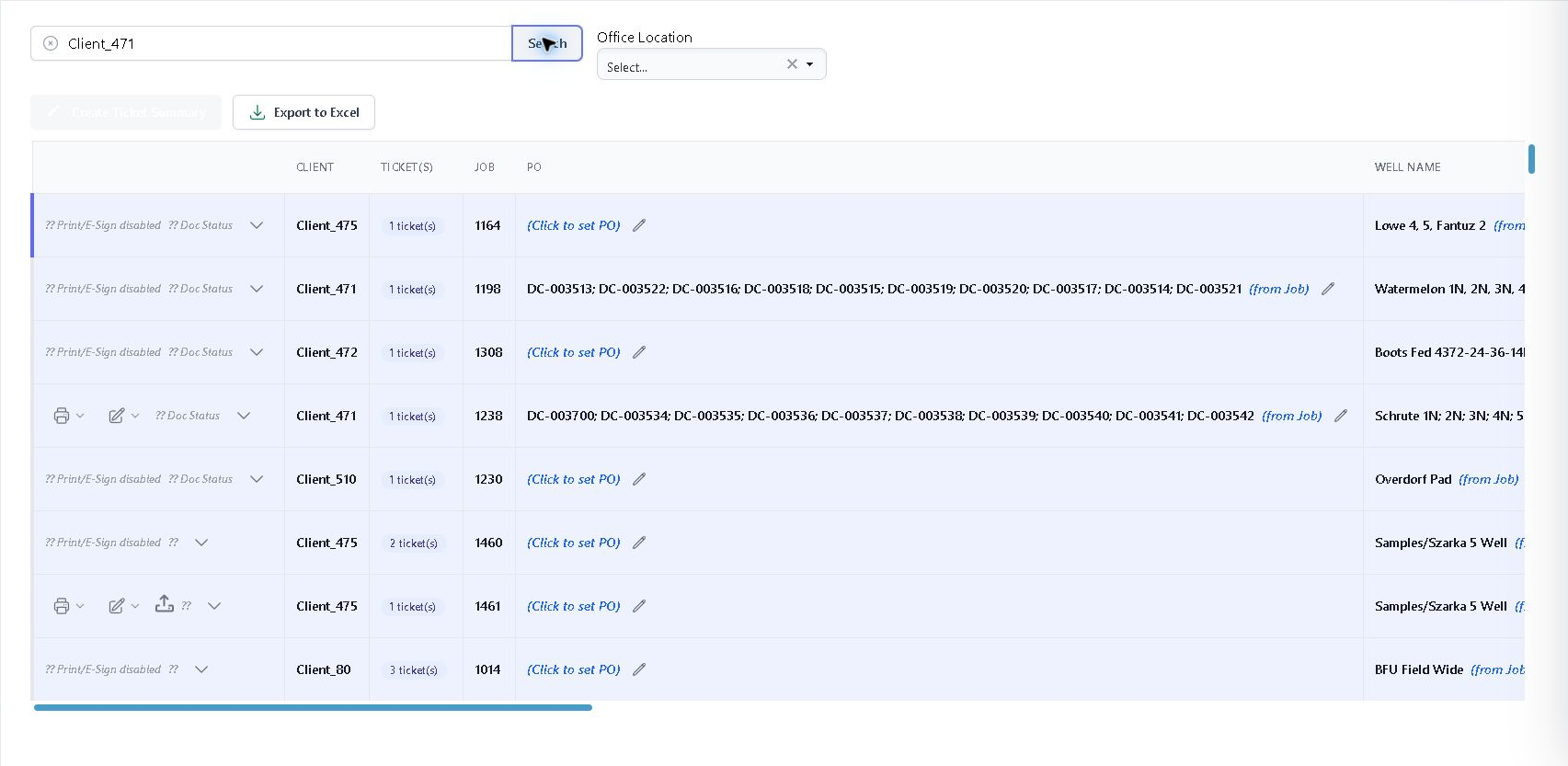 Invoice-readiness review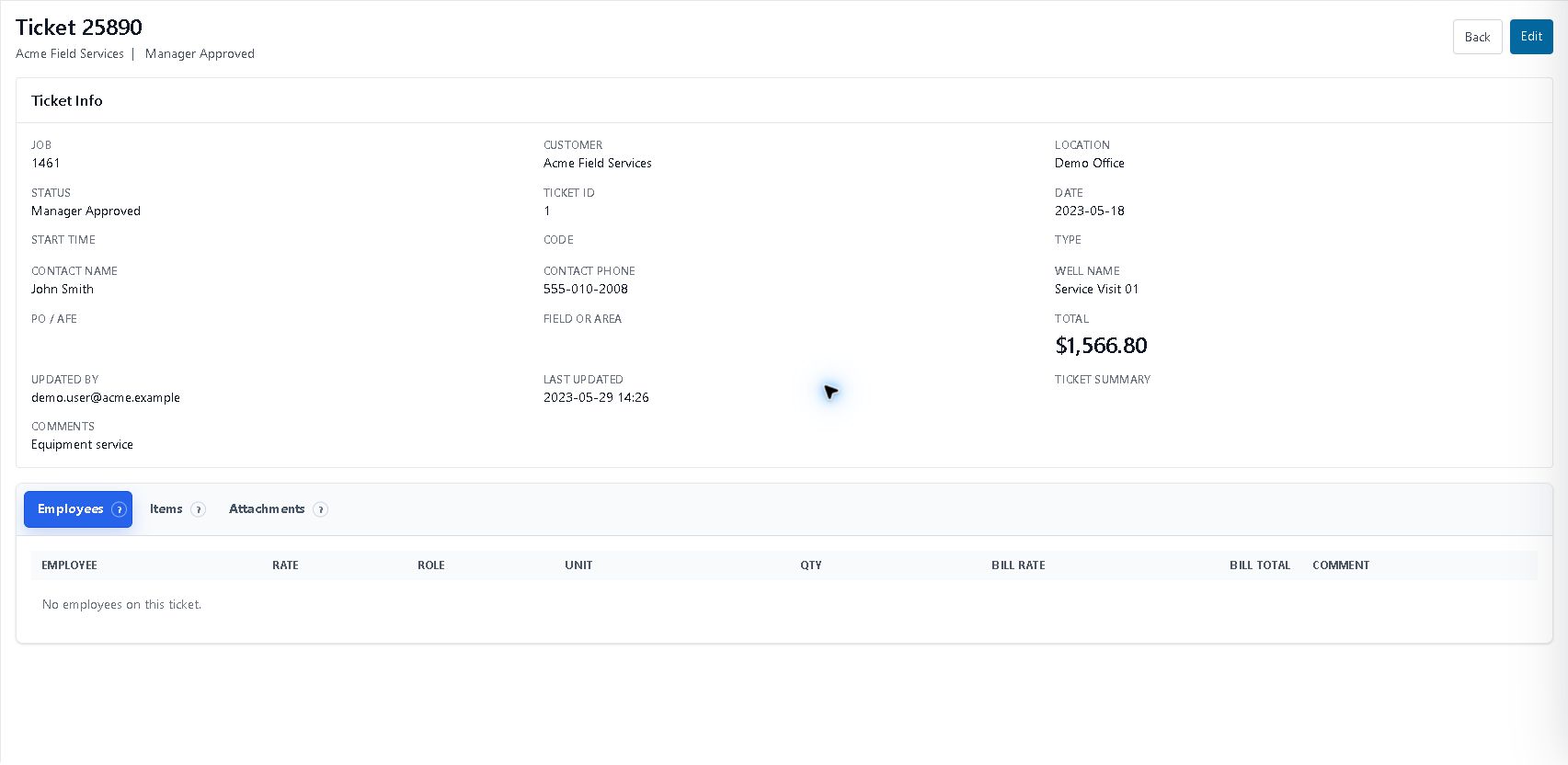
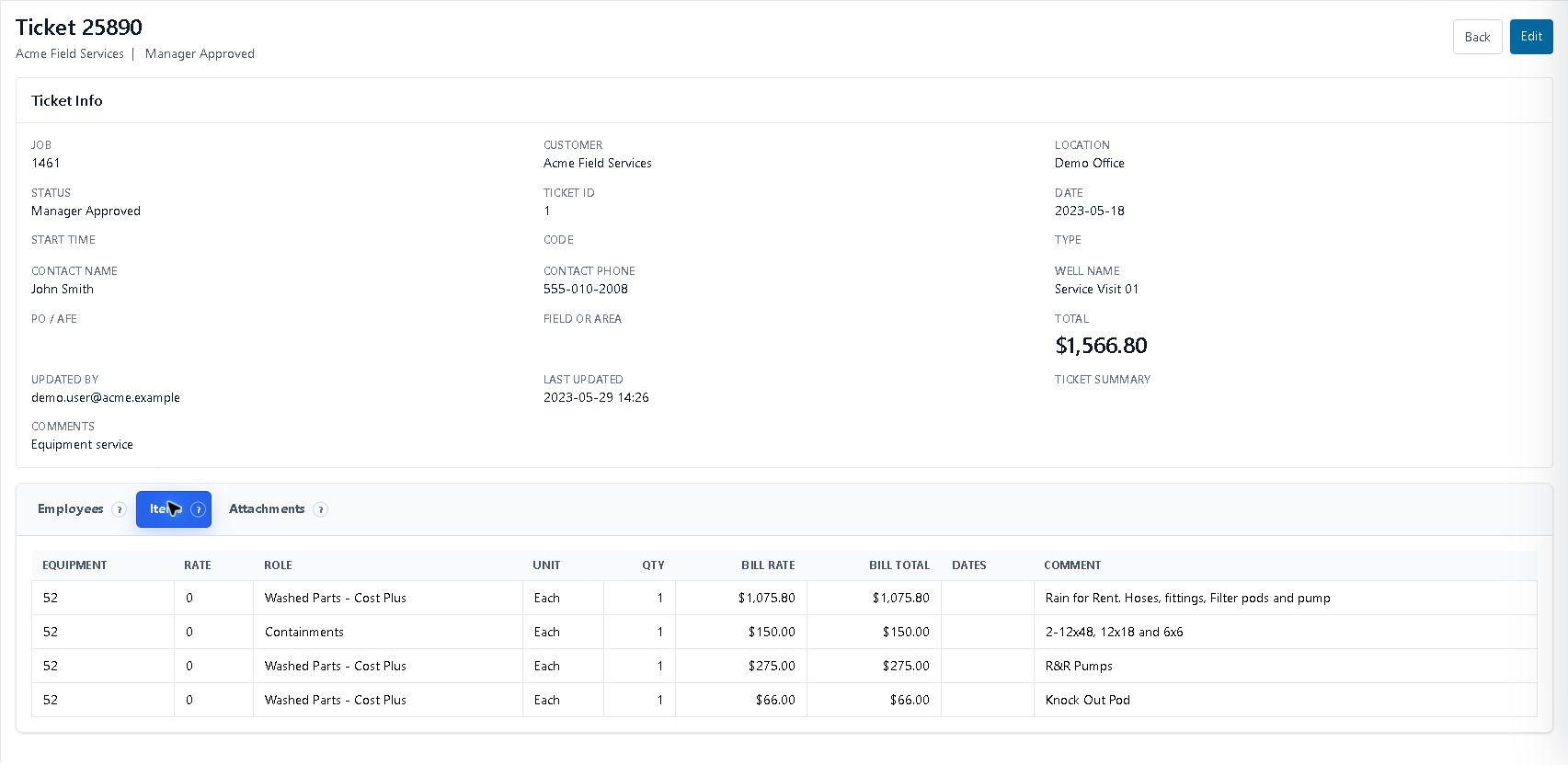
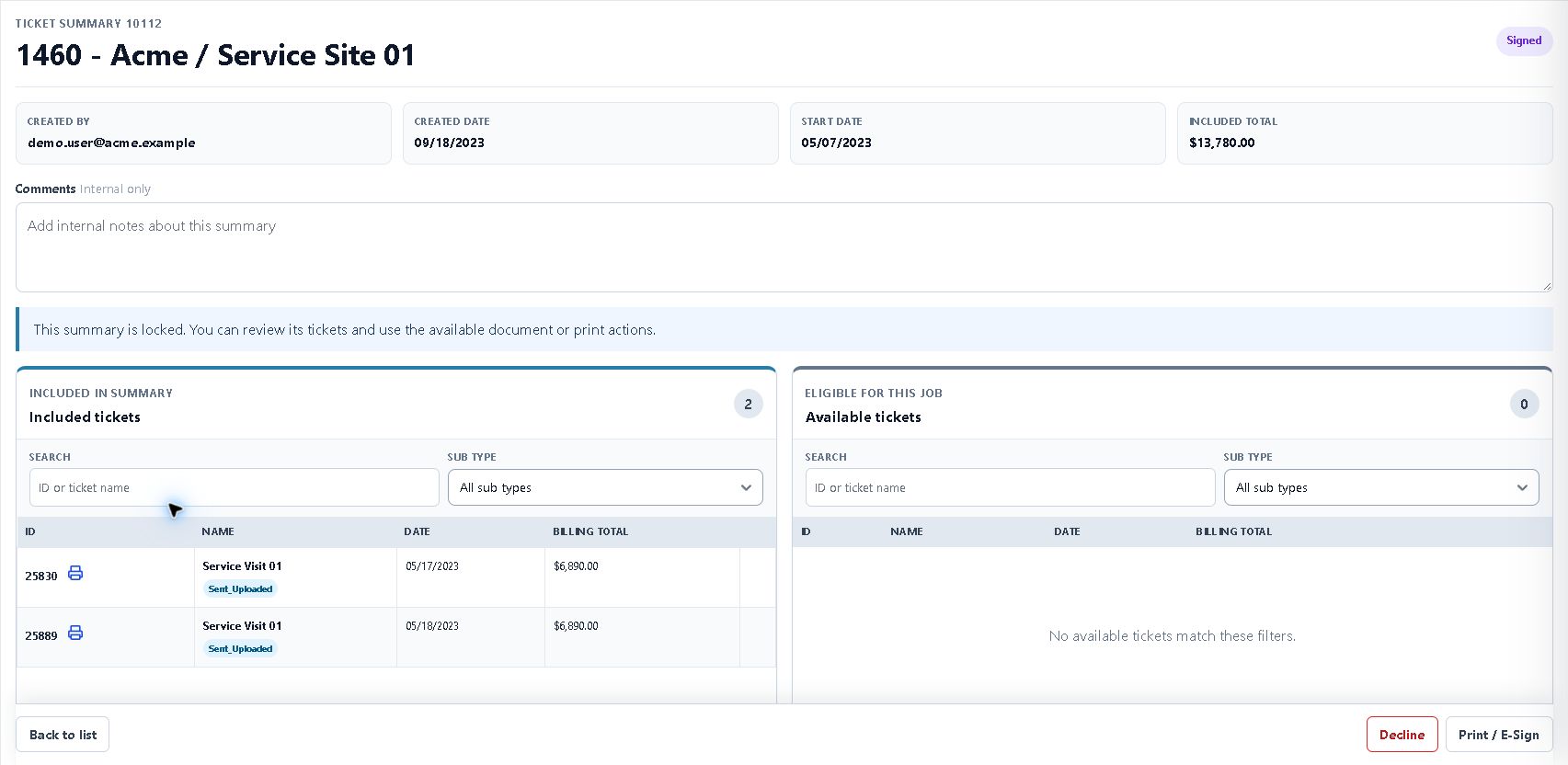
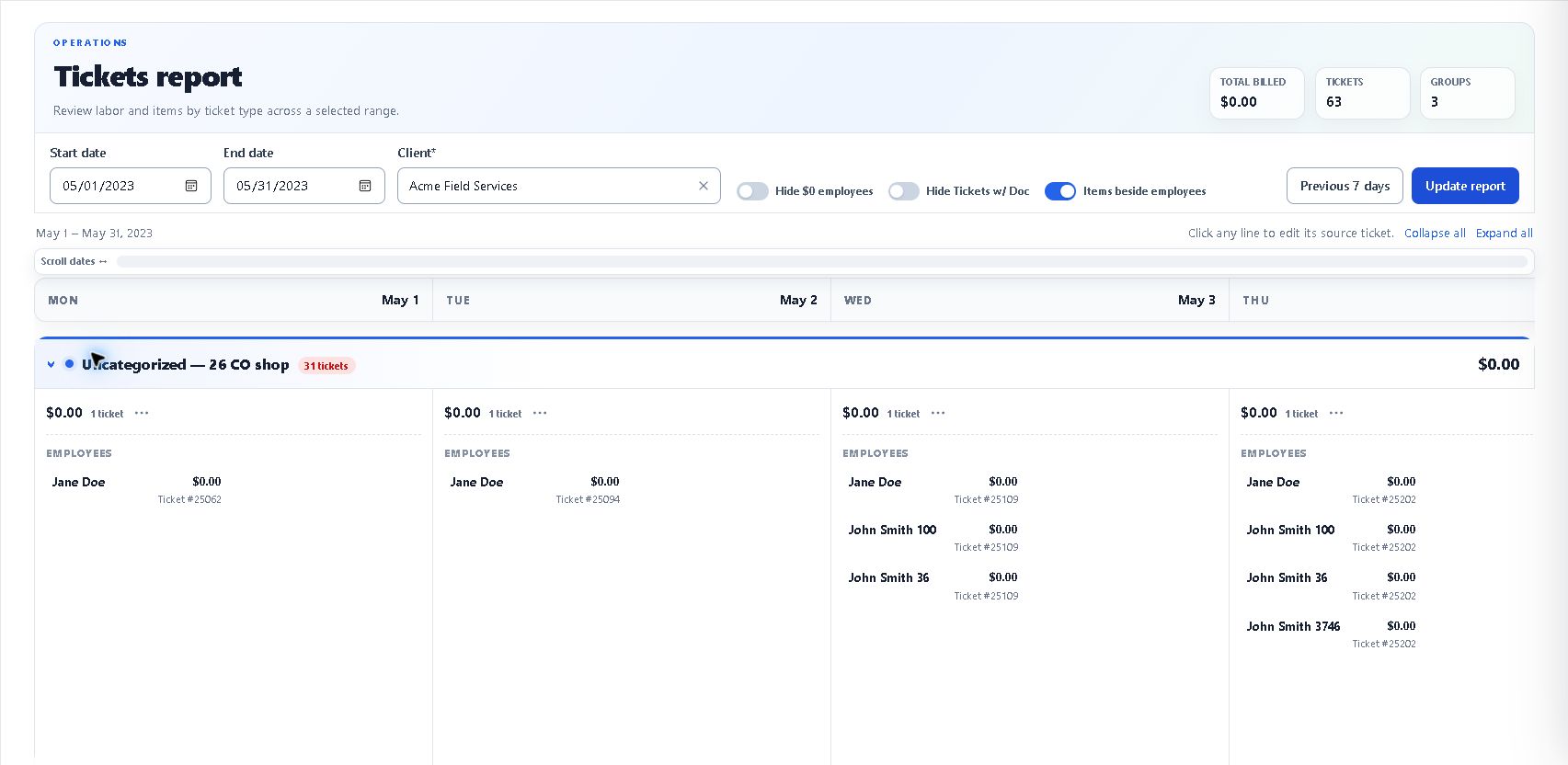
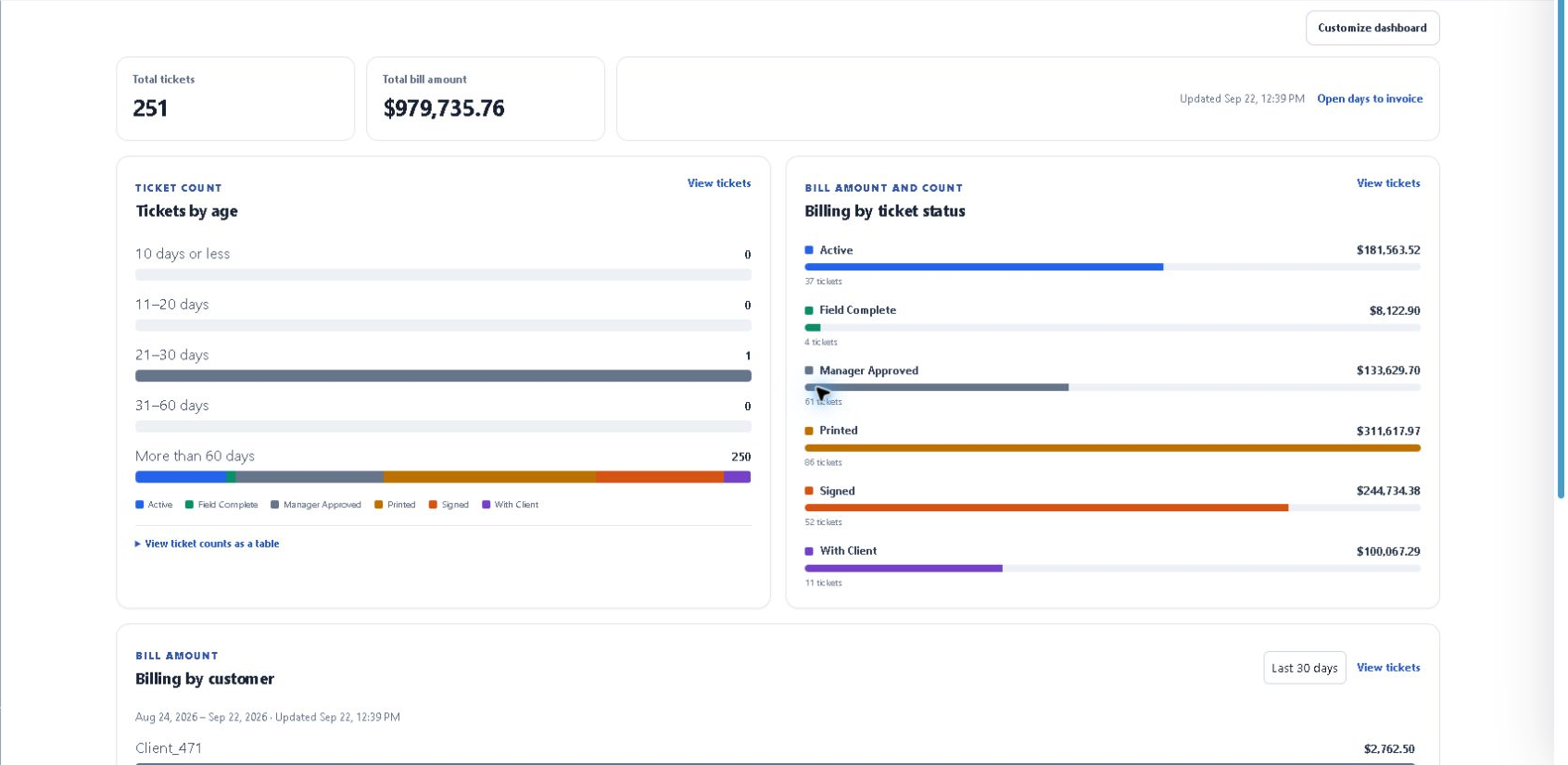
This staging sequence shows ticket detail, a signed-status summary and invoice readiness. The printable sample did not display a customer signature.
Authorized anonymized staging capture. Product interface shown in English. Select any screen to inspect it at full size.
WHAT CHANGES FOR YOUR TEAM
Operations and finance can work from the same supporting record. The conversation moves from “Where is the ticket?” to “What is still needed to bill this work?”
BEFORE THE DEMO
No. Customer requirements, signatures, review status and supporting documents still matter. The workflow makes those dependencies easier to see and follow up.
Structured exports support downstream accounting workflows. The demo should confirm the exact records and handoff your team needs; no named accounting integration is assumed.
START WITH YOUR WORKFLOW
Walk through the handoffs that slow your team down—and see where a connected record can help.