
HAWKEYE FIELD OPS / Construction
Keep daily site work connected to the office.
Bring crew time, daily work tickets, equipment activity and billing backup into a clearer record for construction field operations.
See your operation in action
THE EVERYDAY REALITY
The jobsite moves faster than the paperwork.
A crew completes time-and-material work. Labor is recorded one way, equipment another, and the supporting photos or sign-off arrive later. The office needs a complete account before it can review costs or prepare customer backup.
For specialty contractors and self-performing teams, these gaps make routine field-to-office coordination harder than it needs to be. A spreadsheet may show the total, but not the supporting story.
KEEP THE WORK CONNECTED
Start with the shared field workflow.
Hawkeye Field Ops connects projects and customer records, crew scheduling, labor detail, daily work tickets and supporting documents. Project or site context helps the office understand where work happened and which record it belongs to.
Equipment assignment, inspections, parts and purchasing add cost and readiness context. Configurable forms can support your site checklists and daily reporting process, while completed-work summaries help assemble billing backup.
- 01
Set up the work
Keep customer, site, scope, rates and crew plans together.
- 02
Record the day
Capture labor, equipment context, notes, attachments and customer acceptance where required.
- 03
Review with the backup
Connect daily work records to cost review and billing preparation.
FROM ACTIVITY TO EVIDENCE
See construction work move into the ticket register
Construction-oriented assignment and ticket registers showing how site activity reaches office review.
Walk through your workflowCAPTURED IN HAWKEYE FIELD OPS
See construction work move into the ticket register
Construction-oriented assignment and ticket registers showing how site activity reaches office review.
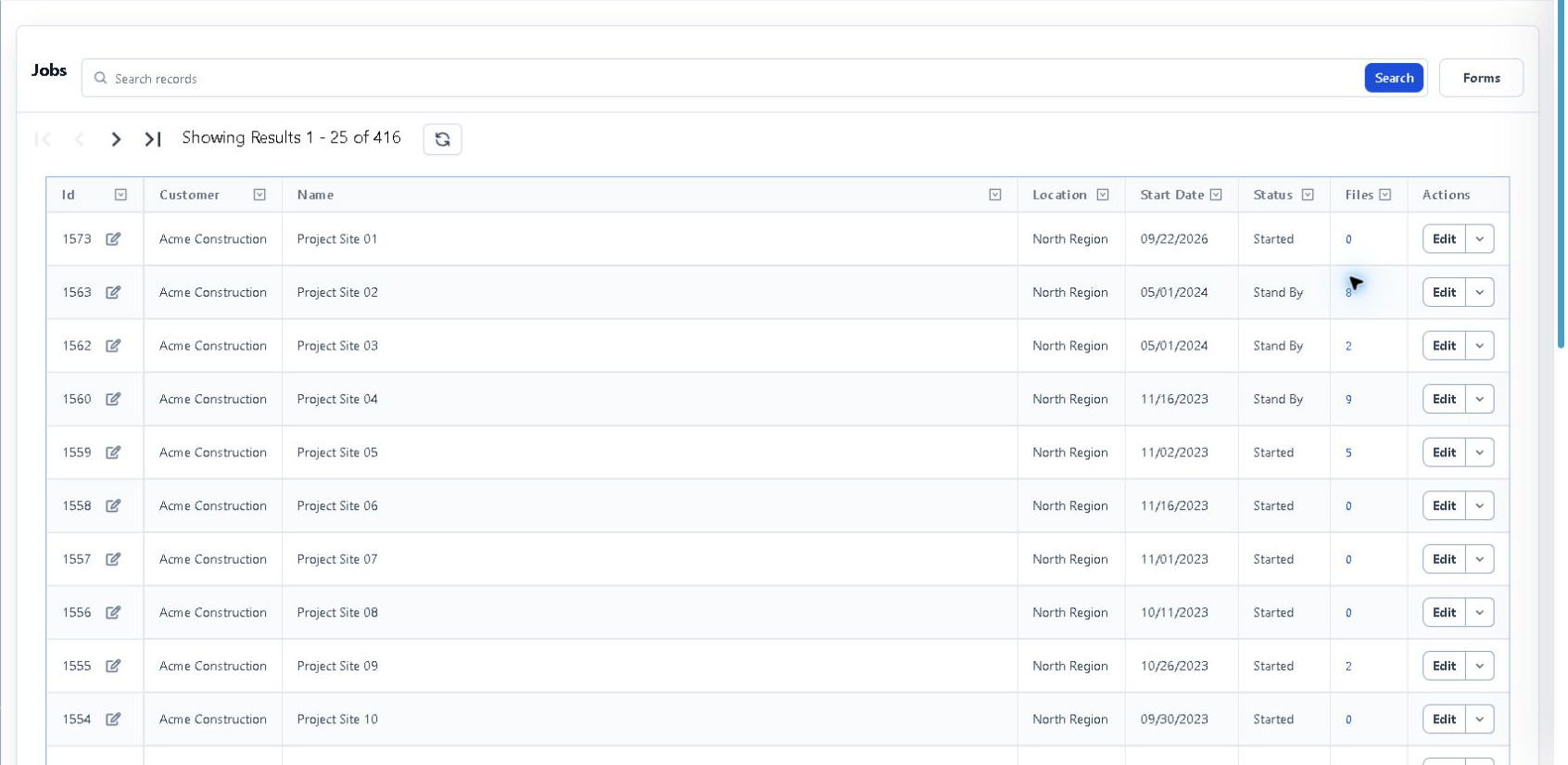 Construction assignment register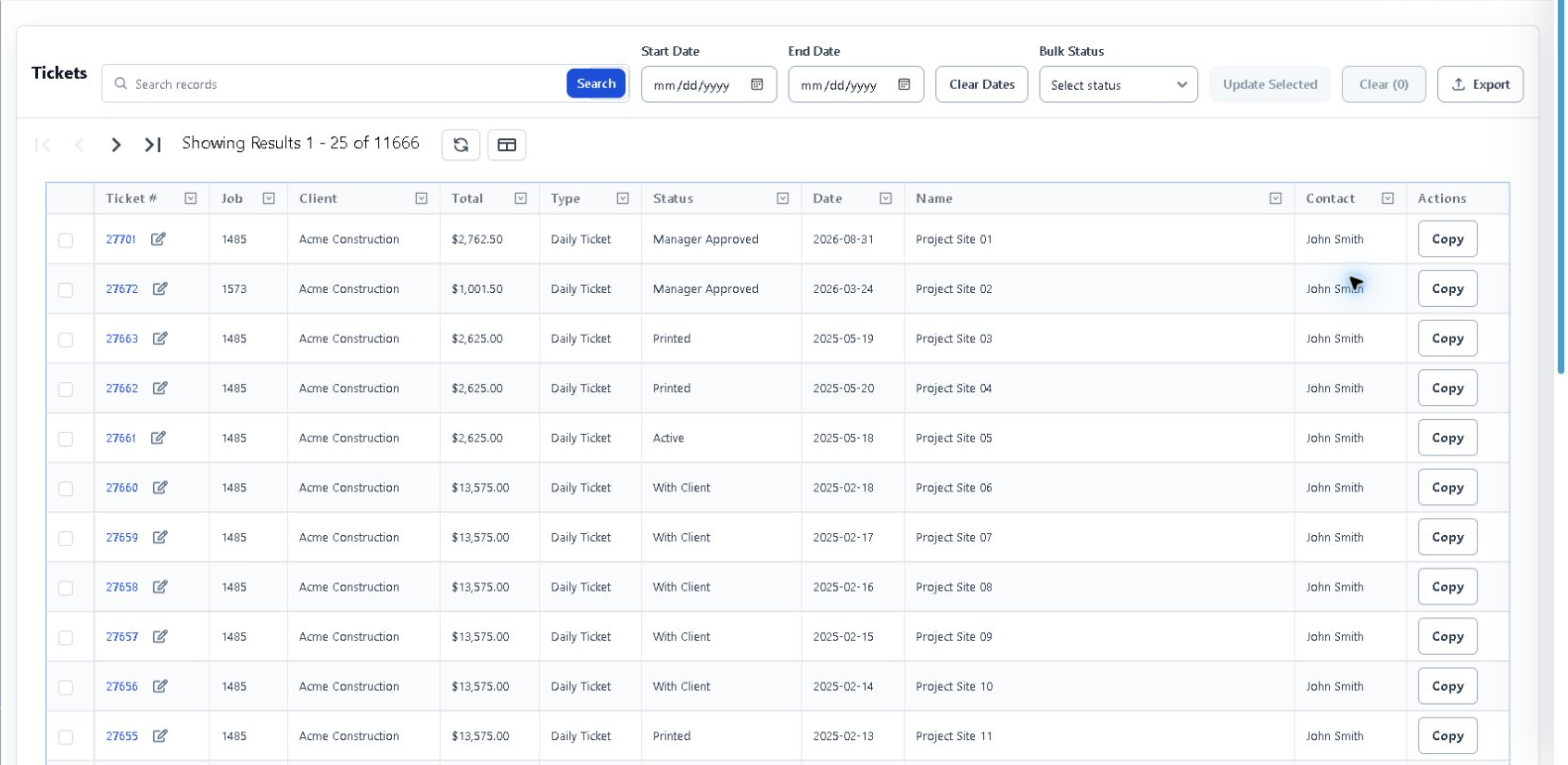
These captures show construction-oriented assignment and ticket registers. Daily labor, equipment, photos and signed acceptance were not safely available in the sample.
Authorized anonymized staging capture. Product interface shown in English. Select any screen to inspect it at full size.
WHAT MOVES FORWARD
Field-to-office control, focused on the work you perform.
Use a shared operating record to reduce re-entry and give the office better context. Start with the workflow that causes the most friction in your business and validate it with a real example.
A FIT FOR YOUR OPERATION
Start with the way you work.
Is this a complete construction-management suite?
This offering focuses on field operations and supporting records. Do not assume drawing revision control, RFIs, submittals, change orders, retainage or pay applications; those needs require a separate fit discussion.
Can it handle our payroll and reporting requirements?
Bring your specific rules and customer requirements. Certified payroll, prevailing wage, union rules and construction-specific accounting are not represented as confirmed capabilities here.
START WITH YOUR WORKFLOW
See your operations in action.
Walk through the handoffs that slow your team down—and see where a connected record can help.